

Hey there! As a microphone supplier, I've gotten tons of questions about how to connect a microphone to a PA system. It might seem a bit tricky at first, but don't worry – I'm here to break it down for you in a super easy way.
First off, let's talk about why you'd want to connect a microphone to a PA system. Whether you're hosting a small event, giving a presentation, or even just jamming out with your band, a PA system can really boost the sound and make sure everyone can hear you clearly. And a good microphone is the key to getting that great sound.
Types of Microphones and PA Systems
There are different types of microphones out there, like dynamic microphones, condenser microphones, and lavalier microphones. Dynamic mics are tough and can handle high sound levels, making them great for live performances. Condenser mics, on the other hand, are more sensitive and can pick up the subtlest sounds, which is awesome for recording vocals or acoustic instruments. Lavalier mics are small and can be clipped onto clothing, perfect for presenters who need to move around.
PA systems also come in all shapes and sizes. You've got small, portable ones that are great for small gatherings, and then there are big, professional systems for large events. The type of PA system you have will affect how you connect your microphone.
Wired Microphone Connection
Let's start with the basics: connecting a wired microphone. Most wired microphones use an XLR cable. This is a three - pronged cable that's really common in the audio world.
First, find the microphone input on your PA system. It's usually labeled something like "Mic" or has an XLR symbol next to it. Take your XLR cable and plug one end into the bottom of the microphone. Make sure it's plugged in all the way – you should hear a little click when it's properly seated.
Then, take the other end of the XLR cable and plug it into the microphone input on the PA system. Again, push it in firmly until you hear that click.
Once it's plugged in, turn on your PA system and the microphone. You might need to adjust the gain or volume settings on the PA system. The gain controls how much the signal from the microphone is amplified. Start with a low gain setting and slowly turn it up until you get a good, clear sound without any distortion.
If you're using multiple wired microphones, you'll need to repeat this process for each one. Some PA systems have multiple microphone inputs, so you can plug them all in at once.
Wireless Microphone Connection
Wireless microphones are really convenient, especially if you need to move around a lot. There are two main parts to a wireless microphone system: the transmitter and the receiver.
The transmitter is the part that attaches to the microphone. It takes the audio signal from the microphone and sends it wirelessly to the receiver. The receiver then takes that signal and sends it to the PA system.
First, make sure the transmitter and receiver are on the same frequency. Most wireless microphone systems have a way to set the frequency. You'll usually find a frequency adjustment knob or a digital display on both the transmitter and the receiver. Set them to the same frequency to ensure a good connection.
Next, turn on the transmitter. It usually has a power button on it. Then, turn on the receiver. The receiver will search for the transmitter's signal. Once it finds it, it will lock in and display a signal strength indicator.
Now, connect the receiver to the PA system. Most receivers have an XLR or a 1/4 - inch output. Use the appropriate cable to connect the receiver to the microphone input on the PA system, just like you would with a wired microphone.
Adjust the gain and volume settings on the PA system as needed. Keep in mind that wireless microphones can sometimes experience interference, so make sure you're in an area with minimal interference sources, like other wireless devices.
Troubleshooting
Sometimes, things don't go as smoothly as we'd like. Here are some common issues and how to fix them.

No Sound: If you're not getting any sound from the microphone, first check to make sure it's turned on. Then, check all the connections. Make sure the cables are plugged in properly and that there are no loose connections. If you're using a wireless microphone, check the battery level in the transmitter and make sure the frequency is set correctly.
Distorted Sound: Distorted sound can be caused by a few things. One common cause is setting the gain too high. Try lowering the gain on the PA system and see if that fixes the problem. Another cause could be a faulty cable or a problem with the microphone itself. Try using a different cable or a different microphone to see if the issue persists.
Interference: As I mentioned before, wireless microphones can experience interference. If you're getting a lot of static or drop - outs, try changing the frequency on the transmitter and receiver. You can also try moving the receiver away from other wireless devices or metal objects.
Some Great Microphone Options
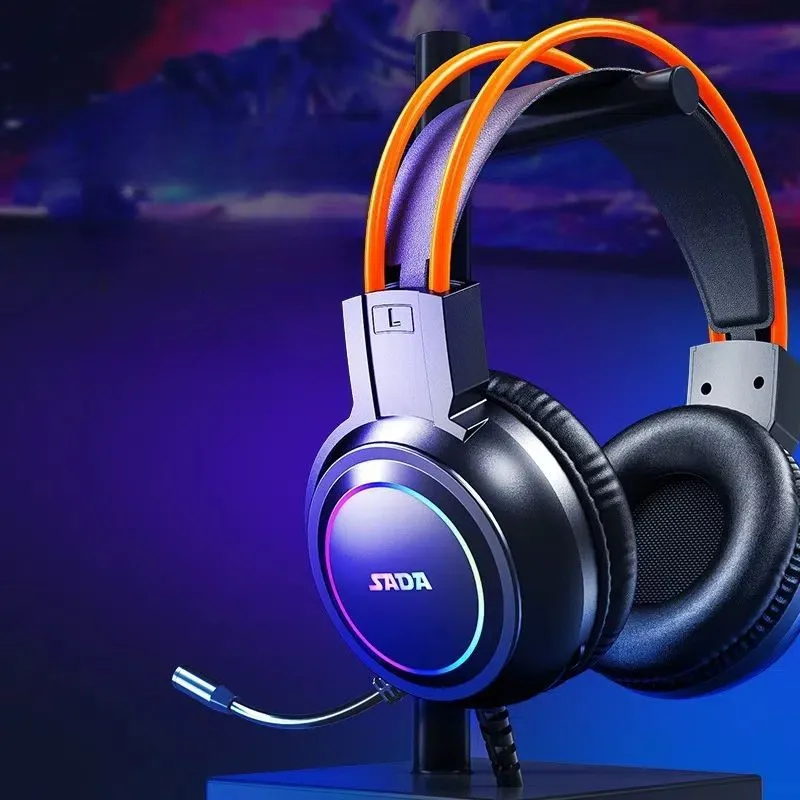
If you're in the market for a new microphone, we've got some great options. Check out our Wireless Gaming Headset Ps4 with Mic. It's perfect for gamers who want clear audio and the freedom to move around.
For those who need a microphone for conferences or meetings, our Wireless Conference Camera and Microphone is a great choice. It provides high - quality audio and can be easily set up.
And if you're a PS4 player looking for a Bluetooth headset with a microphone, our Ps4 Headset Bluetooth with Microphone is just what you need.
Conclusion
Connecting a microphone to a PA system isn't as hard as it might seem. Whether you're using a wired or wireless microphone, following these steps will help you get a great sound. Remember to troubleshoot if you run into any issues, and don't be afraid to experiment with different settings to find the perfect sound for your needs.
If you're interested in purchasing microphones or need more advice on audio equipment, we're here to help. Just reach out to us, and we'll be happy to discuss your requirements and find the best solutions for you. We're always ready to assist you in making the right choices for your audio setup.
References
- Audio Engineering Society publications on microphone and PA system connections
- Manufacturer's manuals for various microphone and PA system models


